
As an MSP I am always looking for improvements for our clients and as well as for our company. Therefore testing new devices and technologies is a daily part of my work.
Since nearly a decade I have been using Synology (or former QNAP) NAS systems as primary backup storage at my clients, as well as inside the company. They have nearly replaced all tape libraries (in fact I have only two remaining customers who are using a tape library).
I am are also very happy with our Synolgy NAS, they are typically no brainers, set and forget devices until a hard disc has to be replaced, very reliable and solid.
But however times moves on and Synology on the one hand did some things in the last years that gained my attention, e.g. vendor lock in for HDD, and on the other hand, the newer Synology NAS are very often over capable for the intended use to provide space for backups and replicate it to another site. For backup tasks I do not need additional software like Synology Drive, or Synology Photo which requires better hardware. On the other hand as an MSP, a central overview about the state of each backup NAS is a must have and even Synology insight exists, I never became really warm with it, some important information are missing, others which are less important for the workload a displayed very prominent. Therefore I am very interested in testing alternatives.
Since the beginning of my company we heavily used Ubiquiti devices, at the beginning mainly the Access Points, then continuing with the switches and since 3 to 4 years we have been using UniFi Protect and UniFi Access. I like the products, the quality and also the central management for MSPs which is one of the best currently available, in my opinion. Therefore I was very excited when they announced their NAS lineup. Even at the beginning it already looked as a good alternative for our current solution. But I decided to wait a little bit until some features are handed in later, which are quite important for the workload I want to test. With version 4 of the UNAS OS it was time to test it.
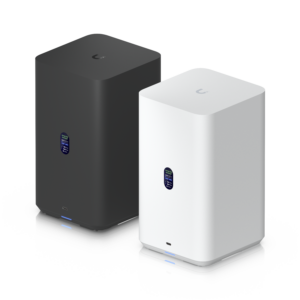
Therefor I purchased one UNAS2 for testing, my requirements are very clear and very common for a MSP:
- Easy and simple deployment even in large scale.
- Central Management which really gives me a compact overview over the most important data.
- Replication of the NAS to another site (in my case to an S3 storage).
- Integration into LDAP, AD or Azure.
- Support of NFS and Samba.
- Encryption for certain customers.
Deployment in large scale
Like all other UniFi products, this is something Ubiquiti knows how to handle, like nearly none of their competitors.
You plug in the device (you only need one network cable, the NAS is also powered by PoE) and after a short booting time the small display tells you the IP-Adress for further configuration.
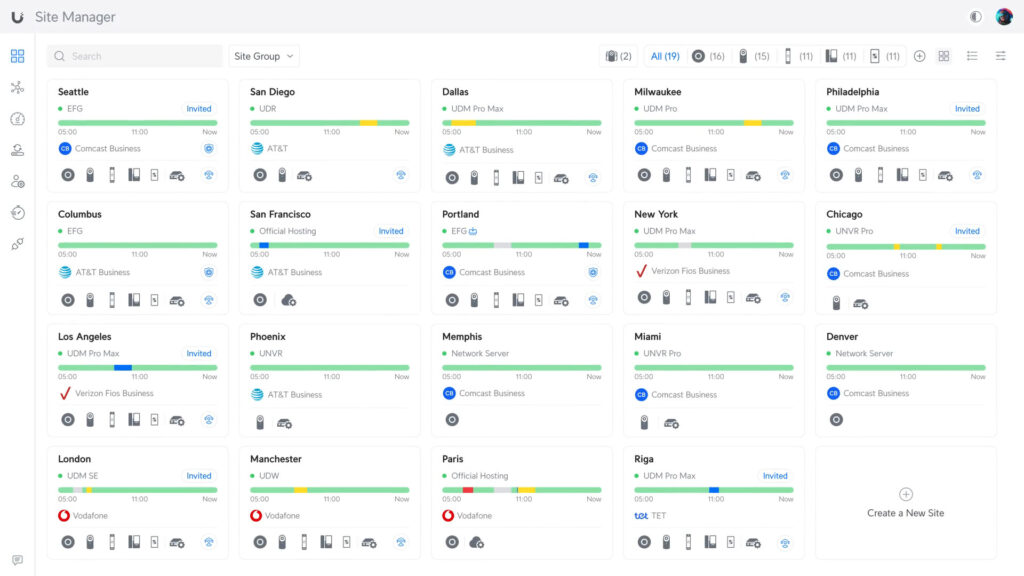
Even better, if you have a UniFi-Network, then you have only to open the site manager and the NAS is shown and ready to adopt. Simply press the adopt button and after two or three minutes the device is ready to serve.
The device is shown as own site in the UniFi-Cloud and as a device in your UniFi-Network, like your Switches, AP and telephones.
The way the NAS is integrated into the UniFi ecosystem is very handy and clearly arranged.
Central Management
As already mentioned the UNAS can be managed using the UniFi-Cloud where ist is shown as an own site which can be a little bit confusing, especially if you are also using a UniFi-Gateway which is also managed using the cloud because it is not shown hierarchically.
On the other hand, the UNAS is running independently from any other UniFi device it can only be added to the whole ecosystem If the user wants it. Therefore this might be the right decision. The NAS also supports fabrics which helps to organize a large scale of UniFi devices and gateways.
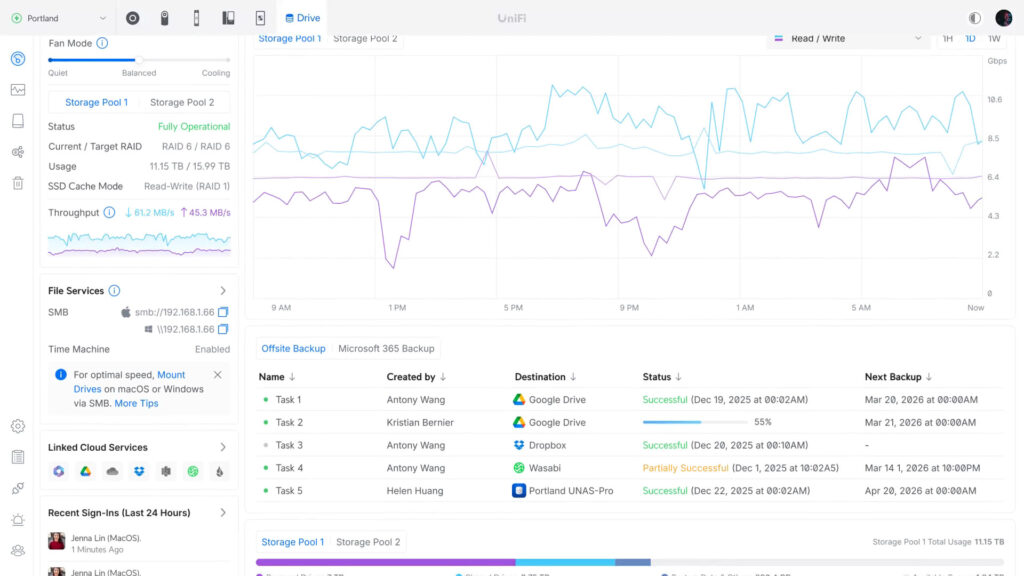
The UniFi NAS series have an own tab in the Unifi-Cloud, called „Data Protection“ where you get the most important information about all of your UniFi NAS systems:
- State of each NAS
- Health Monitor of each NAS
- Backup Task
Especially the last bullet point makes the UNAS series already better for an MSP than a lot of the other manufacturers. There you have a unified view for all backup tasks which are configured and about their state. You can switch between the backup of your NAS and the backup state of any cloud backups of this NAS, even for M365.
Summarized, the UNAS series already has a better „Single Pane of Glass“ than Synology, or QNAP. Especially in combination with the other components of the UniFi ecosystem it’s something an MSP wants and is searching for.
Replication/Backup features
I would say this is currently the most weak discipline of the UNAS series.
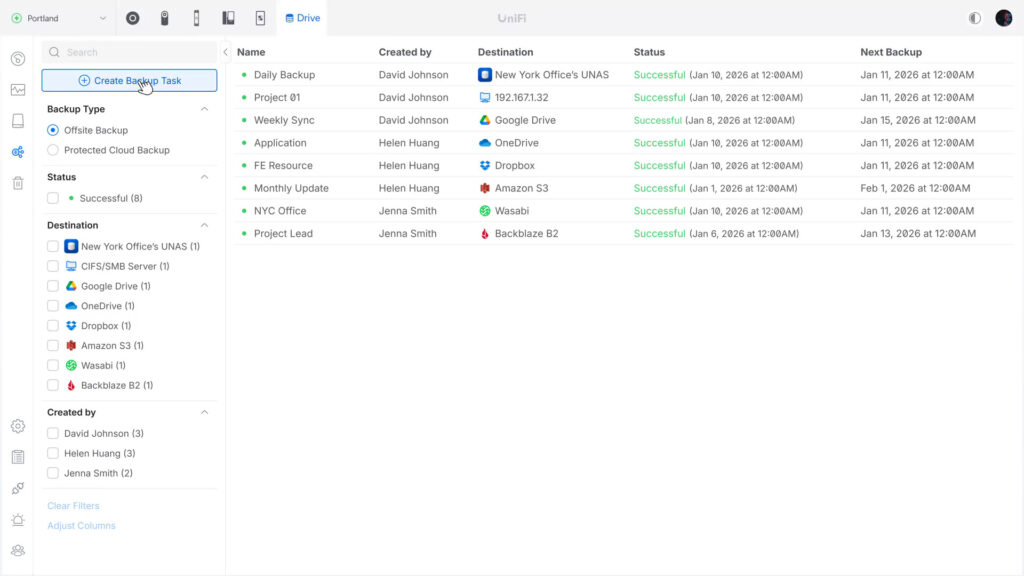
Currently it only supports three backup methods:
Off-Site Backup allows the user to backup the complete NAS or parts of the NAS to a Remote NAS, to a CIFS/SMB-Server or to a cloud service. In the first glance this sounds solid, but in detail it shows a lack of important features:
- Currently you can only recover a whole backup, from scratch. You have to reset the NAS, during the installation assistant you can choose from a backup. There is no possibility in the current UI to select e.g. a certain file to restore. I know that the UNAS supports snapshots, but recovering certain files from a backup without a complete reset of the UNAS is a basic need.
- As a destination for a cloud backup you currently have only the options to backup to Google Drive, OneDrive, Dropbox, Amazon S3, Wasabi and Backblaze B2. There is no possibility to define a custom s3 provider. For me as an MSP this is simple not enough, we use European S3 providers because of legal terms and therefore we would need to define custom S3 providers.
- There is no possibility to encrypt the data locally before sending it to the external backup destination.
- It is also not possible to set a max data rate for uploading to the cloud. This must be done on the firewall/router.
Local backup supports backup to an external NAS using Rsync to the UNAS2, or creating a copy of the local console to another Ubiquiti NAS in the network. As already mentioned in the Offsite-Backup, the UI currently does not support any kind of restore tasks.
Cloud-Backup: Using the Cloud-Backup you can backup your M365 One Drive to the NAS, the support for Exchange, Teams and Sharepoint should follow soon. If this feature arrives, I probably will make my own test.
Generell spoken, the current backup feature of the UNAS series is very, very rudimentary, nor comparable with the features of Synology, QNAP or UNAS. I hope the next releases will improve this functionality.
Integration into LDAP, AD or Azure
The integration of the UNAS into an Active Directory works quite well, in the first try I had certain problems but all of them were solved with an update in August 2026. The integration is very easy, the device is added as a domain member and then synchronizes the AD users. Now you can directly access the NAS from any computer in the network. If the computer is a member of the domain and you have enough rights you can directly access the storage, otherwise you have to enter your domain credentials.
It also works fabulously with Apple, or Linux devices. There I have nothing to complain.
You can also use your credentials to access the web file browser of the UNAS and it works seamlessly with your Ubiquiti identity app and access your files on the NAS. There is also a possibility to use the NAS as a backup destination for your iOs (!) photo library. I did not test this.
Support of NFS and Samba
The UNAS series supports NFS and Samba and both protocols work really well and the whole NAS is very fast with its 2.5 Gbit port. Especially for this stock price the speed is really great!
I did three test:
First I added it using Samba to my Windows PC and put a copy of an old Windows Server VM on the NAS and started it from there, using VmWare Workspace.
In a second test I used the UNAS as a SR destination for VM on my XPC-NG cluster and ran two virtual machines, one windows server and one Ubuntu server parallel. It worked quite well, even though I did not use SSD drives. I would not run any heavy vm load on this NAS, but as already mentioned for this price the performance is more than well.
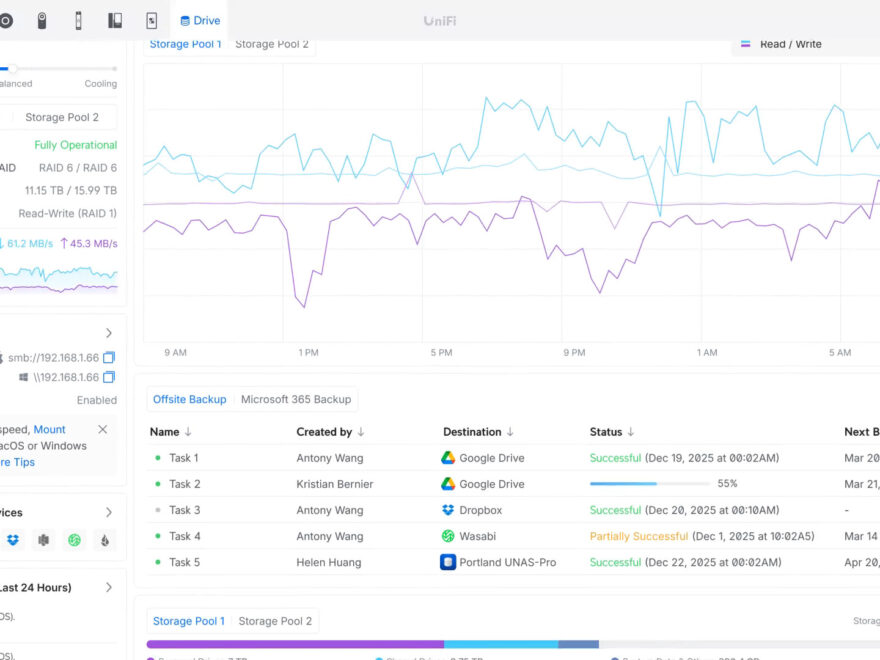
As a third test I used it as a backup destination, again for my XPC-NG cluster, and also in this role the UNAS2 made a really good job. On backup and restore operations the NAS always used nearly the maximum of its 2.5 Gbit connection to transfer data. There were only a few and small drops in the read and write statistics, even when backing up big VMs.
Conclusion
The UNAS2 is a very solid and good value NAS for anyone who is focused on a device which is very good in one thing: To store and provide files in a network. It has no advanced features like Docker, VMs, or applications like Synology Drive oder Synology Photo. It is a quite basic NAS with a fast network connection (a lot of more expensive NAS still have only a 1 Gbit network interface), with a really good value.
For an MSP who is already using Ubiquiti devices the UniFi NAS series is a good choice if they need a device which can be centralized accessed and managed and its main task is to store and provide data.
In the current state I will use the UNAS2 as a backup NAS for small clients which have virtualized environments and no problems with storing their external backup on AWS S3.
But I hope that Ubiquiti will soon improve and extends the features of the UniFi NAS series, especially a restore assistant in the UI for partly restore operations is a must have!